
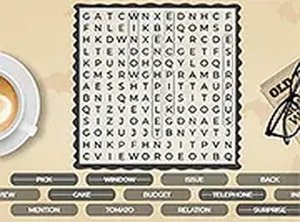
Word Search Classic Puzzle
Reviews
Word Search Classic Puzzle is a well-designed free online game that offers a calming yet engaging mental exercise. Its simple interface and clear visual feedback make it easy to play on any device. The lack of timers allows for stress-free puzzle solving, while the option for increasing difficulty keeps the experience fresh. It is an excellent choice for vocabulary building and relaxation.
About this game
Game Introduction
Word Search Classic Puzzle is a timeless brain teaser that challenges players to find hidden words within a grid of letters. The core objective is to locate all listed words, which are arranged in straight lines horizontally, vertically, or diagonally. This classic format offers a relaxing yet mentally stimulating activity suitable for all ages. It combines vocabulary building with pattern recognition, making it both educational and entertaining. The game runs smoothly in any browser, ensuring accessibility on computers and mobile devices without any downloads or registration.
How to Play
To play, simply look at the list of words provided alongside the letter grid. Your task is to find each word by selecting letters in the correct order. Typically, you click and drag your mouse or finger across adjacent letters to highlight a word. Words can be placed horizontally, vertically, or diagonally. When you select the correct letters in sequence, the word is marked as found. The game provides clear visual feedback, such as highlighting completed words. You can play in full screen mode for a more focused experience. There are no timers or penalties, so you can solve each puzzle at your own pace.
Game Features
Word Search Classic Puzzle offers several features that enhance the experience. It is free to play with no hidden costs, making it accessible to everyone. The mobile-friendly design works seamlessly on phones and tablets. Full screen mode allows for immersive play. No downloads or installations are required, as the game runs directly in your browser. New puzzles may include increasing difficulty levels to keep the challenge fresh. Clear visual feedback helps you track your progress as you find each word.
Tips for Success
To improve your performance in word search puzzles, start by scanning the grid for the first letter of each word. Focus on longer words first, as they are often easier to spot. Practice regularly to sharpen your pattern recognition skills. If you get stuck, take a short break and return with fresh eyes. Using a systematic approach, such as scanning row by row, can help you find words more efficiently. Finally, enjoy the process—word search is as much about relaxation as it is about mental exercise.





Comments
0 comments