
PuckIt Lite: Air Hockey Maze
Reviews
PuckIt Lite: Air Hockey Maze offers a refreshing twist on classic air hockey by adding strategic puzzle elements. The maze levels are well-designed, requiring careful angle planning rather than just speed. The built-in level editor is a standout feature, letting players create and share custom courses, which adds significant replay value. The controls are smooth and responsive, and the colorful graphics are appealing. It is an excellent choice for families and anyone looking for a creative, brain-teasing game that is easy to pick up but offers depth.
About this game
Game Introduction
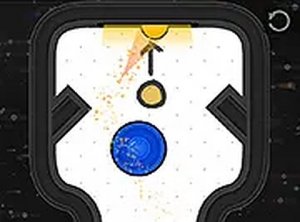
PuckIt Lite: Air Hockey Maze is a browser-based game that combines the familiar action of air hockey with the thoughtful planning of puzzle games. Instead of simply scoring goals, players guide a puck through maze-like levels filled with obstacles and barriers. The core objective is to navigate the puck to a designated finish area by planning shots and using precise angles. What sets this game apart is its combination of familiar sports mechanics with puzzle-solving elements, along with a built-in level editor that allows players to create and share their own custom courses. It is designed to be accessible for all ages, offering a fresh and engaging experience for both casual players and creative puzzle designers.
How to Play
Players typically use a mouse to aim and click to hit the puck. The goal in each level is to guide the puck through a maze of obstacles to reach the finish area. Some blocks may require multiple hits or specific angles to break. The game is optimized for desktop computers, where a mouse or keyboard provides the best control. Players can also switch to full-screen mode for a more immersive view. After completing levels, the level editor becomes available, allowing players to design their own puzzles and test them. Each finished level unlocks new challenges, keeping the gameplay varied and rewarding.
Game Features
This game features fun 2D air hockey gameplay with obstacles that create maze puzzles requiring strategic aiming. It includes a built-in level editor for creating and sharing custom courses. The game is free to play directly in a browser with no download needed. Smooth controls and colorful graphics make it suitable for all ages. As a puzzle game, it includes multiple levels with increasing complexity, and the level editor adds long-term value by allowing players to invent and share their own challenges.
Tips for Success
To succeed, take time to study each maze layout before making your first shot. Plan your angles carefully, as ricochets off walls and obstacles can help you reach the finish. Some blocks may require multiple hits, so be patient and adjust your aim. Practice using different shot strengths to control the puck's speed. Experiment with the level editor to better understand puzzle design, which can improve your problem-solving skills in the main game. Regular practice will help you master the mechanics and complete levels more efficiently.









Comments
0 comments