
Classic Solitaire Card Puzzle
Reviews
Classic Solitaire Card Puzzle offers a polished and straightforward solitaire experience. The ability to choose between drawing one or three cards allows players to adjust the challenge to their preference. The interface is clean and intuitive, with no distracting ads or in-app purchases. It works smoothly on both mobile and desktop, making it a great choice for casual play. While it lacks advanced features like statistics or hints, it delivers exactly what solitaire fans expect: a reliable, free, and relaxing card puzzle.
About this game
Game Introduction
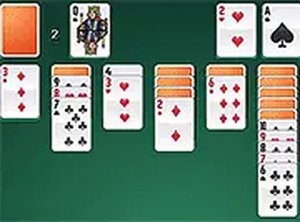
Classic Solitaire Card Puzzle is a digital version of the traditional single-player card game. The main objective is to move all cards from the tableau to four foundation piles, organized by suit in ascending order from ace to king. Players can choose to draw one card at a time for a simpler experience or three cards for added difficulty. The game uses a standard 52-card deck, and cards on the tableau must be arranged in descending order with alternating colors. Complete sequences can be moved to the foundations. The game ends when all cards are placed in the foundation piles. This version offers a clean interface and adjustable difficulty, making it suitable for both newcomers and experienced players. It provides a relaxing yet engaging puzzle experience that helps improve concentration and planning skills. The game is free to play and works on both mobile devices and desktop computers.
How to Play
To play Classic Solitaire Card Puzzle, first select your draw option: one card or three cards. The tableau consists of seven columns, with the first column containing one card, the second two, and so on. Only the top card in each column is face up. Click on a face-up card to move it to another column if it fits the descending order and alternating color rule. You can also move a complete or partial sequence of cards. When no moves are available, click the stock pile to draw new cards. An undo button is available to reverse moves. The game is won when all cards are in the foundation piles. Full screen mode is available for a more immersive experience.
Game Features
Classic Solitaire Card Puzzle offers several features: free to play with no ads or in-app purchases. Compatible with mobile phones, tablets, and desktop computers. Choose between drawing one or three cards for adjustable difficulty. Full screen mode for better visibility. Clean and simple interface that is easy to navigate. No download or installation required. Works directly in your web browser.
Tips for Success
To improve your chances of winning, focus on uncovering face-down cards early. Prioritize moves that reveal new cards over those that simply rearrange the tableau. Use the undo feature to explore different strategies. Practice regularly to recognize patterns and plan several moves ahead. Enjoy the game at your own pace.









Comments
0 comments