
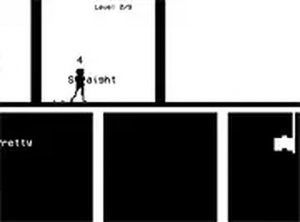
Obverse 2D Platform Adventure
Reviews
Obverse 2D Platform Adventure offers a fresh take on classic platforming with its side-switching mechanic. The controls are simple, but mastering the timing requires practice. Levels gradually increase in difficulty, providing a satisfying challenge. It's free, browser-based, and perfect for short gaming sessions. The full screen mode enhances focus, making it a great choice for fans of precision platformers.
About this game
Game Introduction
Obverse 2D Platform Adventure is a free browser-based platform adventure game that adds a clever twist to classic jumping mechanics. Your main goal is simple: reach the flag at the end of each level. However, the path is filled with platforms and obstacles that require careful timing. The key mechanic is side-switching, which lets you move your character up or down. You have a limited time to reflect, meaning you can only switch sides for a short moment. This forces you to plan each move quickly. The game is designed for desktop play and works best with a keyboard or mouse. It is free to play and runs directly in your browser. You can also use full screen mode for a more focused experience. Obverse offers a fresh take on platforming by blending precise jumps with quick decision-making.
How to Play
To play Obverse 2D Platform Adventure, use your keyboard or mouse. Press the jump key to leap across gaps and onto platforms. Use the switch key to flip your character's position, moving them up or down as needed. Your main objective is to reach the flag at the end of each level. Along the way, you will face obstacles that require careful timing. You have a limited time to reflect, so use the switch wisely to avoid falling. Each level becomes harder, so plan your moves ahead. The game is best played on a desktop with a keyboard and mouse for precise control. You can also click the full screen button for a better view. Practice will help you master the timing and progress through the levels.
Game Features
Obverse 2D Platform Adventure includes several features that make it stand out. Fun 2D platforming with a unique side-switching mechanic. Levels that increase in difficulty to keep you challenged. Simple controls that are easy to learn but hard to master. Free to play with no downloads required. Full screen mode for an immersive experience. Designed for desktop play with keyboard or mouse.
Tips for Success
Obverse 2D Platform Adventure is a clean and focused platformer that rewards careful timing. It is a good choice for players who enjoy testing their reflexes without complex controls. The game is suitable for short play sessions and offers a satisfying sense of progress.








Comments
0 comments