
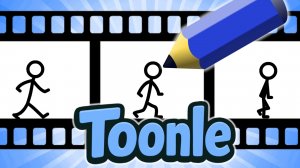
Cartoon Maker Studio: Frame by Frame
Reviews
Cartoon Maker Studio strips away the complexity of professional animation software and leaves only the essential process: drawing one frame after another. The tutorial is clear and encouraging, making it easy for someone with no art background to create their first moving image. The community gallery adds a nice social layer without feeling competitive. My only minor criticism is that the drawing tools are basic, but that simplicity is also the game's greatest strength. It focuses on the core skill of animation rather than flashy effects. A solid choice for anyone curious about how cartoons work.
About this game
Bringing Drawings to Life
At its core, Cartoon Maker Studio teaches the classic technique of frame-by-frame animation. You start with a blank canvas, select a drawing tool and a color, and sketch the first pose of your character or object. Once that frame is complete, you add a new blank sheet and draw the next position, slightly changed from the last. Repeating this process builds a short sequence of images. When you press play, the frames run in order, creating the illusion of motion. This fundamental method is the same one used by professional animators, but here it is presented in a simple, approachable way.
Tools Designed for Beginners
The game provides a set of intuitive drawing tools that mimic real art supplies. You can choose from several brush sizes and a full color palette to create exactly the look you want. There is no pressure to produce perfect art on the first try. An optional tutorial walks you through the first few steps, explaining how to plan a short animation, how to keep your character consistent from frame to frame, and how to preview your work. The interface is clean and uncluttered, so you can focus on your drawings rather than navigating complex menus.
Learning Through Practice
Cartoon Maker Studio is built around the idea that the best way to learn animation is to do it. The game encourages you to start with simple projects, such as a bouncing ball or a waving hand, before moving on to more complex scenes. As you gain confidence, you can experiment with timing, spacing, and movement. The platform does not rush you. You can take as much time as you need on each frame, and you can always go back to edit or redraw a previous frame. This flexibility makes it a useful tool for understanding how small changes in each drawing affect the final motion.
A Safe Space for Creative Work
All content created within Cartoon Maker Studio stays within a family-friendly environment. There is a community gallery where you can share your finished animations and look at what other players have made. This gallery is moderated to keep it appropriate for all ages. Seeing the work of others can provide fresh ideas and show you different approaches to the same animation problem. The focus is always on learning, sharing, and improving, never on competition or comparison.







Comments
0 comments